GDScript Code formatting - tools and addons
In this article I describe why it’s worth formatting code according to a code style and then review code-formatting addons for the Godot editor.
If you are interested only in the addon recommendation, scroll straight to the Summary section.
Code formatting
Code formatted in a consistent, predictable way is one of the indicators of good code quality. It improves readability, which is a huge factor — especially in large projects, where most of the time is spent reading existing code rather than writing new one. It’s also very helpful for teams to follow a single style: it reduces unnecessary discussions during code reviews and makes handing over projects or modules much easier.
Most established programming languages either have an official code style or one or two community-accepted standards. Godot is no different - there is official code style guide, which I find very good.
It’s very important to follow some code formatting style when programming — even if it’s different from the official guidelines, it should at least be consistent.
Since Godot is an indentation-based language, really bad formatting is simply not allowed by the compiler. In Java, for comparison, you could technically put the entire program on a single line with no spaces. In Godot that would fail to compile, but it’s still possible to write code that’s messy and hard to read.
Unformatted code
extends Node2D

@export
var speed: float = 2048; var velocity         =   Vector2(0,0)

func _physics_process(delta: float) -> void:
		velocity-=velocity*delta*5.0


		if Input.is_action_pressed( "ui_up" ):
			velocity.y -= speed * delta
		if Input.is_action_pressed("ui_down"):

			velocity.y += speed * delta

		position+=   velocity * delta
Formatted code
extends Node2D

@export var speed: float = 2048

var velocity = Vector2(0, 0)


func _physics_process(delta: float) -> void:
	velocity -= velocity * delta * 5.0
	if Input.is_action_pressed("ui_up"):
		velocity.y -= speed * delta
	if Input.is_action_pressed("ui_down"):
		velocity.y += speed * delta

	position += velocity * delta
Automated code formatting
After this long intro - let’s begin with the main part.
When programmming in Godot, I constatly formatted code manually which is time consuming and, let’s be honest, frustrating. I’m a little surprised, that at the time of writing this post, Godot editor doesn’t have built-in code formatter.
While I understand that introducing refactoring tools to the editor may not be highest priority and may difficult to implement, I’d expect to have formatter either embedded in the editor, or via official command line tools or both. There is open Github issue since 2021.
For the reasons I listed in the beginning, I think having a way to quickly format code through editor shortcut or even menu option is a must. Unfortunately, for now there are only unofficial options in a form of addons or command line utilities.
Let’s review what is available.
Godot formatting addons
I’m going to describe three options that are available after searching for “formatter” in the AssetLib. There might be more options, but I’m looking for something easy to use.
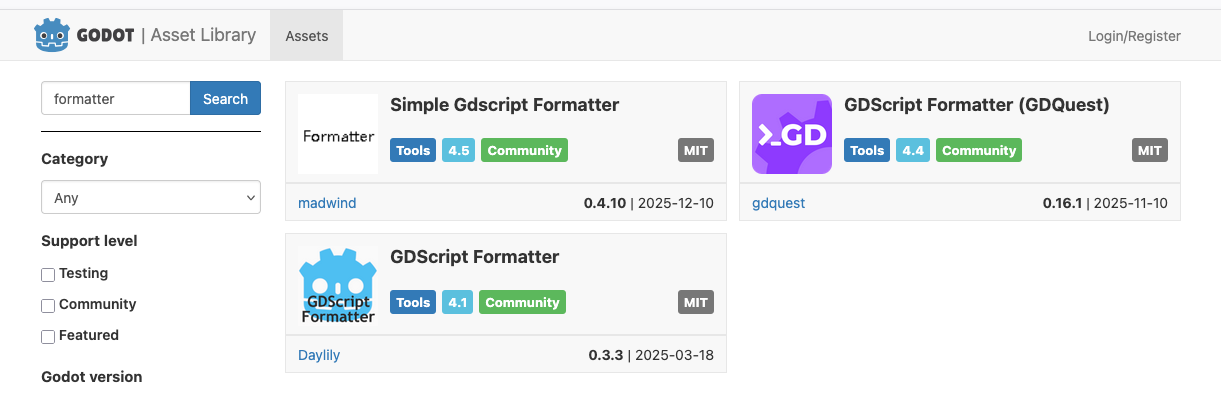
- Simple Gdscript Formatter - updated recently, supports 4.5
- GDScript Formatter (GDQuest) - updated a month ago, supports 4.4
- GDScript Formatter - updated March 2025, supports 4.1
Simple Gdscript Formatter
The first addon has the word “simple” in its name, and it’s true. It provides two actions - formatting code and opening it in an external editor. Formatting is done by using a shortcut — there is no context menu.
Installation is very easy - all you need to do is download the addon via the built-in asset library and then enable it in the project settings.
It works immediately after enabling without any hassle (spoiler: other addons are more difficult to set up) - it formats the code when the shortcut is used.
As far as I’ve checked (see the detailed summary below), it follows most of the rules defined in the style guide. Rules that are not supported, such as comment spacing, are more difficult to auto-format and don’t bother me much.
I’m using it in one of my projects and I’m happy with the results.
One minor thing that was bugging me - there was an error in the console after enabling the plugin. However, today I saw that a new version has been published, and the error has been fixed - huge shoutout to the creator for the quick fix.
This plugin is written in GDScript and does not require any other tools to be installed. That makes it super easy to set up and use; however, it cannot be used via the command line.
Summary:
-
supported rules:
-
✅ code formatting via shortcut
-
❌ code formatting via menu option
-
✅ reorder code
- ⚠️ it’s same action, so there is no option to format without reorder
-
✅ easy install
GDScript Formatter (GDQuest)
GDQuest formatter is a completely different beast. While you can list various characteristics of this tool, simple is not one of them.
Written in Rust, the GDQuest formatter provides both formatting and linting, all available via the command line and in the editor through an addon.
There is a large README.md on GitHub and a dedicated page on the GDQuest website documenting the plugin.
Installation looks as follows:
- option A - tool binary is downloaded manually
- is allows to use command line
- to use in editor, addon is required (it only uses the binary, so it’s not duplicating the tool)
- option B - binary is installed via addon
- this way both cmd and editor is done via few clicks
I went with the option B and.. I found few issues along the way.
First, addon is downloaded to the main directory of the project, while it should be in addons directory in order to be enabled in editor. Fine, I can copy it myself and the enable plugin in the settings. Initally plugin did not load, but reloading project fixed that.
Next bunch of errors have been presented in the console, which is OK, as I did not install binary yet.

After enabling the tool, Format submenu is available, so I can finally install the binary.
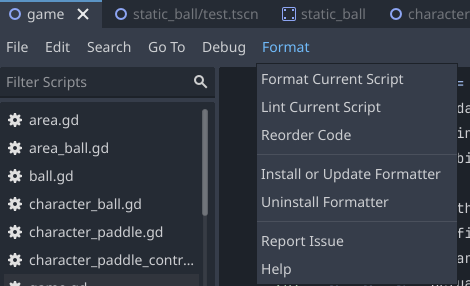
Starting GDScript formatter installation...
GDScript Formatter release information loaded successfully
Found compatible release, starting download...
Download URL: https://github.com/GDQuest/GDScript-formatter/releases/download/0.18.1/gdscript-formatter-0.18.1-macos-x86_64.zip
Download completed successfully (1347783 bytes)
Extracting and installing binary...
Installing to cache directory: /Users/marcin/Library/Caches/Godot/gdquest
GDScript formatter installed successfully!
Binary location: /Users/marcin/Library/Caches/Godot/gdquest/gdscript-formatter
  ERROR: The Command 'gdquest gdscript formatter/Uninstall Formatter' doesn't exists. Unable to remove it.
Tada! 🎉 cool, let’s use it. It works fine:
- formatting works as expected (check summary below for details about supported rules)
- there are occasional errors during formating
- Lint and Reorder code actions working as expected too
- shortcut to format code doesn’t work in my case, but using Format menu does the trick
Since I now have the binary correctly installed, other projects would only need the addon installed, so the binary installation step can be omitted.
So, after the initial friction, which may be problematic for beginner users, the GDQuest formatter is a feature-rich tool, providing both a command-line utility as well as editor integration (very basic, but it works).
I’ve found two issues when testing:
- when worked on unsaved script, so it’s important to save before run format action, which is weird and may be an issue for some.
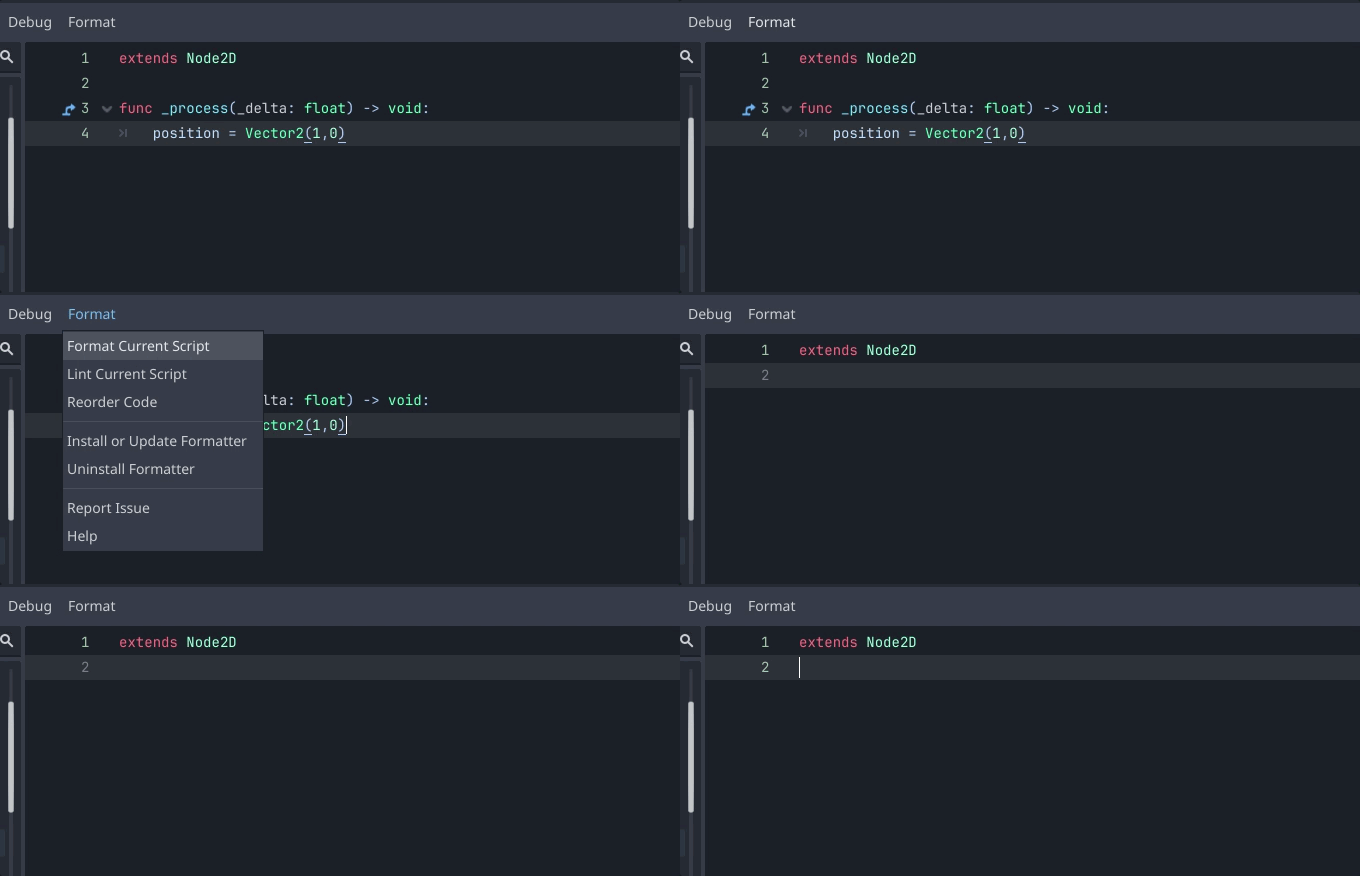
- Sometimes it just doesn’t work - I haven’t found the root casue, but getting errors like:
ERROR: core/variant/variant_utility.cpp:1024 - Format GDScript failed: res://test.gd
ERROR: core/variant/variant_utility.cpp:1024 - 	Exit code: 1 Output:
ERROR: core/variant/variant_utility.cpp:1024 - 	If your script does not have any syntax errors, this might be a formatter bug.
Summary:
- supported rules:
- ✅ Encoding
- ✅ Indentation with ⚠️ as I was getting erros on some examples
- ✅ Trailing comma
- ✅ Blank lines
- ✅ One statement per line
- ❌ Format multiline statements for readability
- ❌ Avoid unnecessary parentheses
- ❌ Boolean operators
- ❌ Comment spacing
- ✅ Whitespace
- ❌ Numbers
- ⚠️ occasional errors and issues
- ❌ code formatting via shortcut
- ✅ code formatting via menu option
- ✅ reorder code
- ℹ️ installation requires two steps (cmd utility + addon)
GDScript Formatter
The last addon I’m going to review today is named just GDScript Formatter.
After installing and enabling the plugin, the user is notified that it also relies on a command-line utility, in this case gdtoolkit. The message is much clearer than in the case of the GDQuest formatter:

There is no information on how to install gdtoolkit, but let’s find out from the gdtoolkit GitHub.
It was easy enough — since I’m using macOS, I used Homebrew: brew install gdtoolkit. An alternative is to install it via pip (see the docs).
Within the toolkit there are 4 binaries installed: gdparse, gdformat, gdlint, and gdradon — I’ll focus on formatting via the editor to avoid making this post too long for anyone to read :)
After installing the binaries and reloading the project, formatting works (via shortcut — there is no submenu). It’s a little laggy — it takes somewhere between 0.5 and 1 second for a 100-line file; this is much slower compared to the previous two.
In case of GDQuest, binary and addon is provided by the same team, but in case of GDScript Formatter gdtoolkit is widely used tool that is around for some time (1.4k stars on GitHub), however plugin is created and maintanted by someone else.
Generally it works, but I found some issues:
- typed dictonaries cannot be formatted and tool return an error:
var test: Dictionary[int , int ] = {}
gives
ERROR: Format GDScript failed: res://game/game.gd
ERROR: 	Exit code: 1 Output: 0 files reformatted, 1 file left unchanged.
ERROR: 	If your script does not have any syntax errors, this error is led by limitations of "gdtoolkit", e.g. multiline lambda.
Typed dictionaries have been introduced in Godot 4.4, suggesting that gdtoolkit may not be up to date. This is concerning — I would not invest in a tool that may become problematic to use in the future.
- In plugin settings there is Format on save option, but it doesn’t work (maybe I’m saving file in wrong way?).
To wrap up, this is my least favourite option. While gdtoolkit may be useful overall - and I definitely need to experiment with the linter and complexity checker - for formatting directly from the editor, this plugin needs some improvements to provide a good experience.
Summary
Okay, so I hope I managed to stress the importance of keeping code nicely formatted according to some standard, and I briefly reviewed three addon options for formatting GDScript in the Godot editor.
I recommend using either GDScript Formatter (GDQuest) or Simple GDScript Formatter. Both support most important code style rules.
For now, I’m going to use the latter, but when I start building automation or Continuous Integration for my projects, I’ll probably use GDQuest as well.
To make your choice easier between the two, see below.
Use Simple GDScript Formatter when:
- formatting is your only need
- editor-only formatting is fine
- you don’t want to waste time setting up the tool (easy installation)
- you’re a beginner
Use _GDScript Formatter (GDQuest)_ when:
- you may benefit from linting and configurable rules
- in addition to editor formatting, you want to use command-line tools
- command-line tools are a must for git precommit hooks or other automations. There will be separate post about automations.
- you can handle a slightly more complicated installation
- you don’t mind occasional errors (this tool is still under developement so it may be short term issue)
Resources
The Effect of Poor Source Code Lexicon and Readability on Developers’ Cognitive Load
Changelog
14-12-2025
- added detailed comparison of supported formatting style for Simple GdScript Formatter and GDQuest Formatter
- added info about occasional errors for GDQuest formatter
- added mention about use command line formatter for git precommit hooks